Google Sheet
The Google Sheet Add-On is designed to bring the full power of Google’s collaborative spreadsheet environment directly into Sophistec Optima Solutions. It enables users to manage, analyze, and visualize data efficiently. Streamlining operations without switching between platforms.
Its main purpose is to:
- Enable seamless access and management of Google Sheets from within the ERP system
- Enhance data collaboration through real-time updates and shared access
- Provide intuitive tools for sorting, filtering, and formatting data
- Ensure secure connectivity with account authorization and access controls
- Simplify data-driven decision-making with a familiar spreadsheet interface
Unifying Spreadsheet Intelligence Inside Your ERP
Organizations struggle with scattered spreadsheet files, platform switching, and inconsistent data access that slows collaboration. We eliminate these inefficiencies by embedding Google Sheet access, editing, security, and real-time updates directly inside Sophistec Optima Solutions. The result is streamlined analysis, controlled permissions, and faster operational decision-making through a familiar spreadsheet experience.
Google Sheet
Each functional component of the system is modular and scalable for easy customization.
Sheet Access & Management
Browse, open, and edit all accessible Google Sheets directly from the ERP interface.
Sheet Access & Management
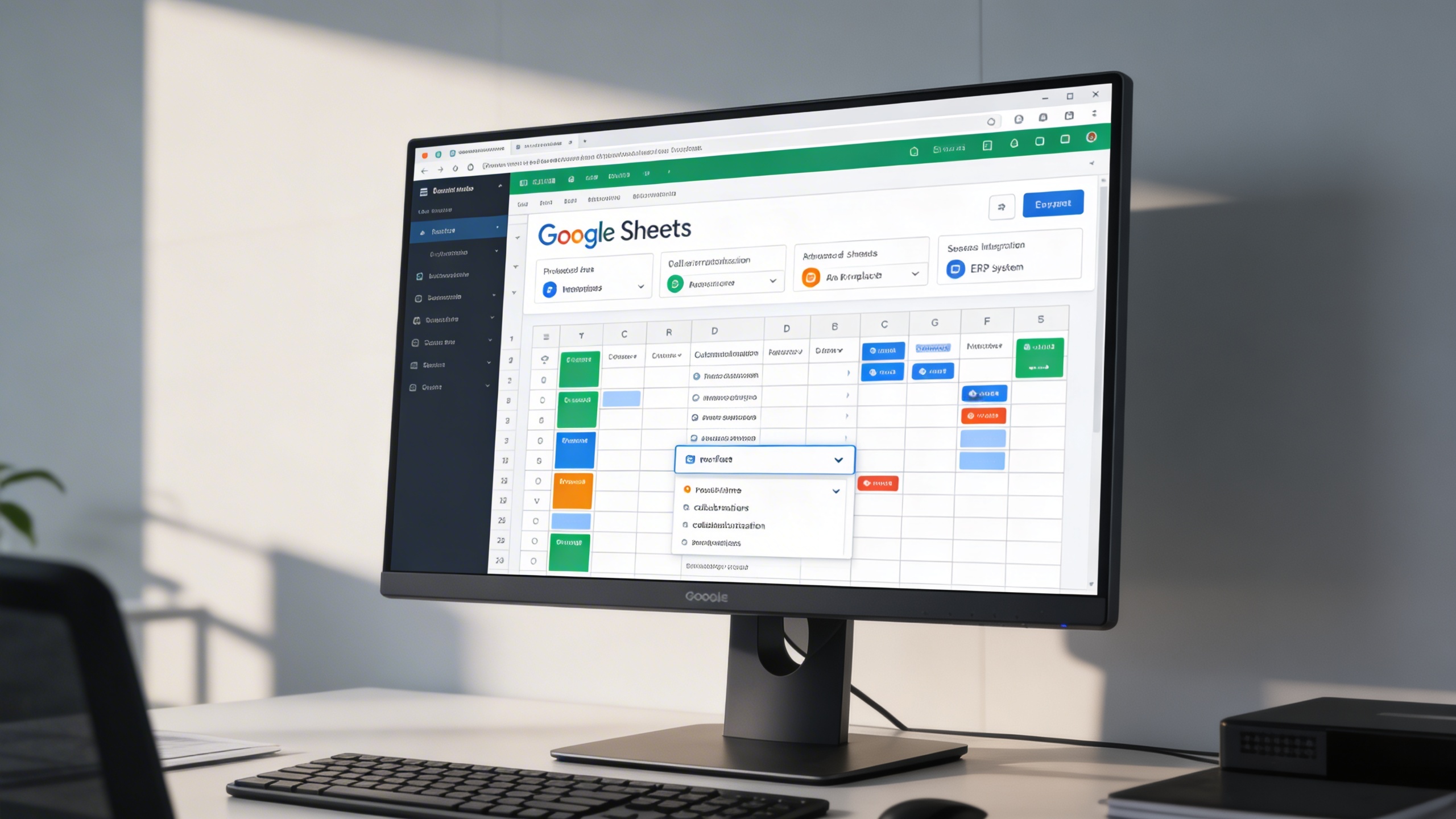
Data Organization Tools
Utilize built-in sorting, filtering, and calculation capabilities for efficient data analysis.
Data Organization Tools
Connected Spreadsheet Operations
Centralize spreadsheet editing, collaboration, and data controls inside the ERP for faster analysis and operational execution.
📊 1. Google Sheet Features
Integrate the full power of Google Sheets into Sophistec Optima Solutions, bringing real-time collaboration, advanced computation, and streamlined data management to your ERP environment.
Key Capabilities:
- 🎨 Cell Formatting: Customize cell appearance using font styles, sizes, colors, borders, and alignment for clear and professional layouts.
- 🔐 Protect Sheets & Ranges: Control access by locking specific sheets or data ranges, ensuring that only authorized users can modify critical information.
- 🔍 Advanced Find & Replace: Locate and update specific values or formulas instantly using powerful search and replace tools.
- 📈 Real-Time Collaboration: Work with your team simultaneously, viewing edits, comments, and updates as they happen.
- 📤 Seamless Integration: Open, edit, and save changes to Google Sheets directly from within the ERP system interface.
⚙️ 2. How To Use and Create Google Sheet
Setting up and using the Google Sheet Add-On is quick and intuitive, ensuring a smooth experience from integration to data management.
Key Capabilities:
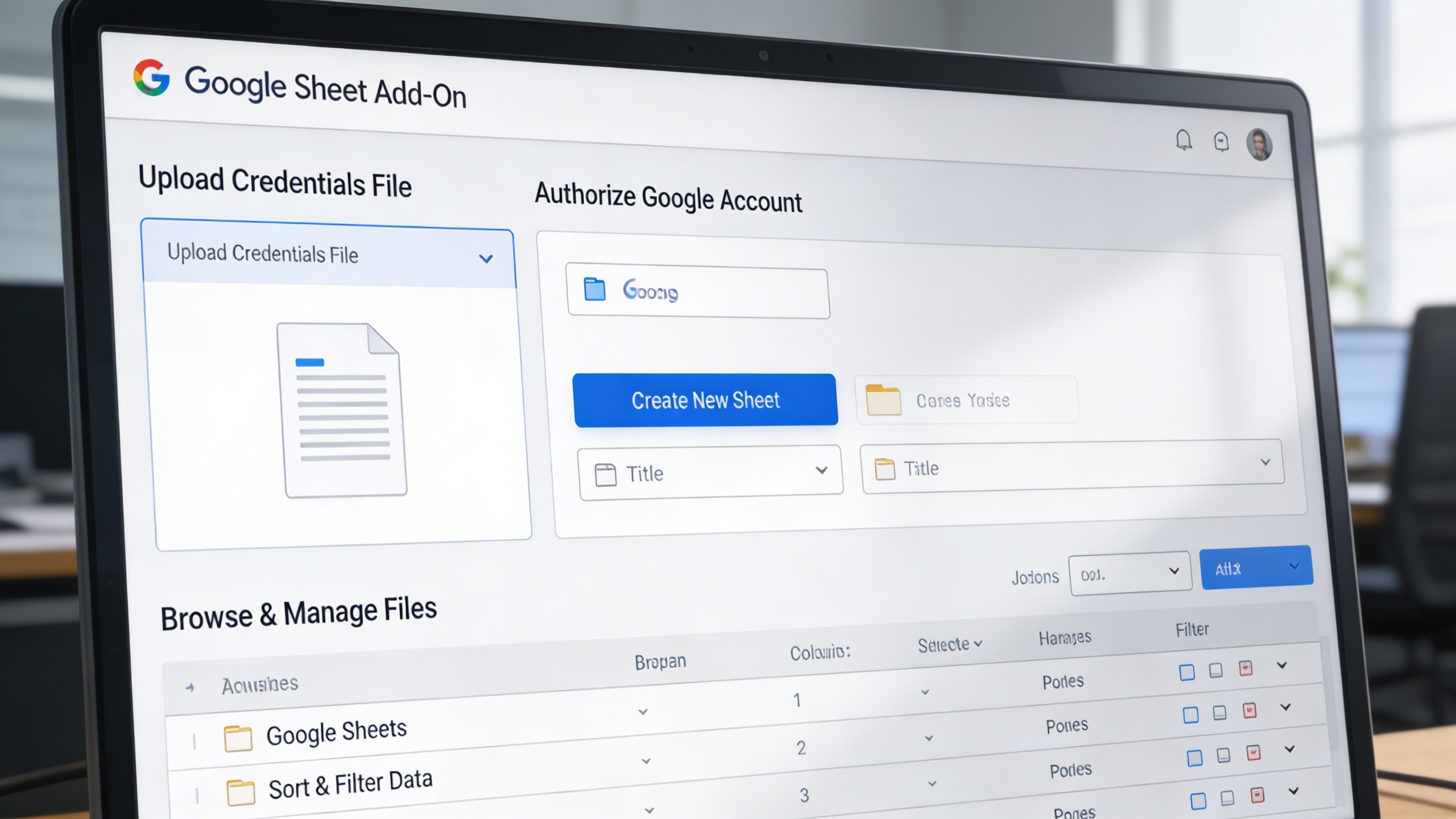
- 📁 Upload Credentials File: Go to (System Settings → Google Sheets Settings) and upload your credentials JSON file to enable secure access.
- 🔑 Authorize Google Account: Log in and grant permissions to connect your account. Once authorized, all accessible Google Sheets will be displayed.
- 🆕 Create New Sheet: Click the Create New Sheet button, choose your destination folder, and enter a sheet title to begin.
- 📂 Browse & Manage Files: Instantly open, edit, or delete existing Google Sheets directly within the ERP interface.
- 📊 Sort & Filter Data: Organize columns, apply filters, and analyze datasets efficiently using built-in tools.
Who Can Benefit from the System?
Any data-driven team requiring centralized spreadsheet access, real-time collaboration, and secure analytics inside their operational ERP.
🏢 Business Analysts & Operations Teams
Overview:
Centralize and analyze real-time business data directly from the ERP system without switching between applications.
Key Benefits:
📊 Data Visualization: Apply charts, filters, and formulas to track KPIs.
📈 Real-Time Collaboration: Share and update sheets with cross-department teams.
🔒 Data Security: Maintain access control over sensitive business information.
💼 Financial Departments
Overview:
Streamline financial data management, budgeting, and forecasting processes within one platform.
Key Benefits:
💰 Financial Tracking: Record transactions, expenses, and revenue with live updates.
📑 Data Validation: Prevent input errors through controlled sheet protection.
📤 Report Automation: Generate, format, and share financial summaries instantly.
🎓 Educational Institutions
Overview:
Simplify academic and administrative data management through integrated spreadsheet functionality.
Key Benefits:
🧾 Attendance & Grade Tracking: Record student performance and attendance efficiently.
📂 Resource Planning: Organize budgets, schedules, and course materials.
🤝 Collaborative Updates: Allow multiple educators to edit and review data simultaneously.
🏭 Manufacturing & Operations Units
Overview:
Enhance production tracking and resource management by leveraging live data access.
Key Benefits:
🏗️ Production Monitoring: Maintain updated production and inventory logs.
📦 Supply Chain Analytics: Track raw materials and delivery schedules in real time.
📊 Process Optimization: Identify bottlenecks with organized operational data.
🏠 Small Businesses & Entrepreneurs
Overview:
Manage business performance, sales, and administrative data in one connected ecosystem.
Key Benefits:
🧮 Simplified Bookkeeping: Maintain expense and sales records in connected sheets.
🧠 Business Intelligence: Derive insights from data trends using built-in formulas.
🔗 Centralized Access: Manage all Google Sheets under one secure ERP umbrella.
Latest insights and updates on technology trends and innovations
Cloud vs. On-Premise: Which Is Right for Your Business?
The Ultimate Guide to Cybersecurity for Small Businesses
How Automation is Revolutionizing Workplace Productivity
Optimizing Business Operations with Cloud Computing
Adopting Cloud Strategies for Scalable Growth
Harnessing Cloud Solutions to Drive Innovation
Ready To Transform Your Business? Book a Free Consultation
Let’s shape the future of your business together.